
Michael Jackson - Piano Game
Slow_Play-gameMusic
4.133.00 Reviews
- Version
- 7.0
- Installs
- 100.00K
- Age Rating
- Everyone
Screenshots
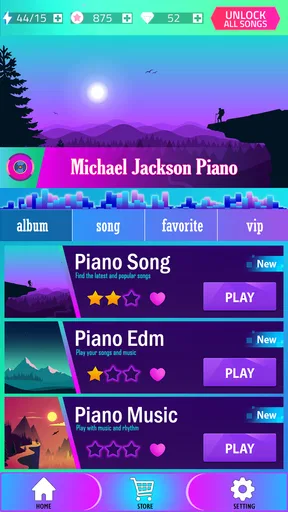
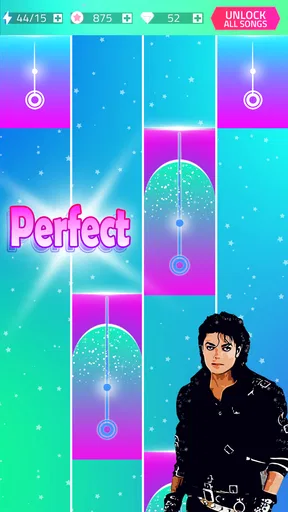

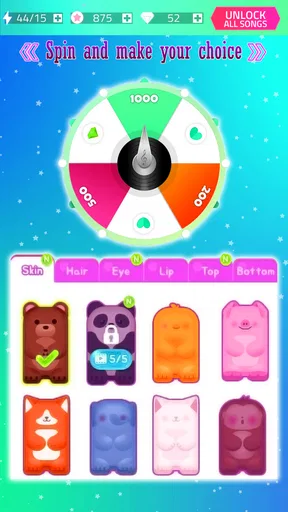
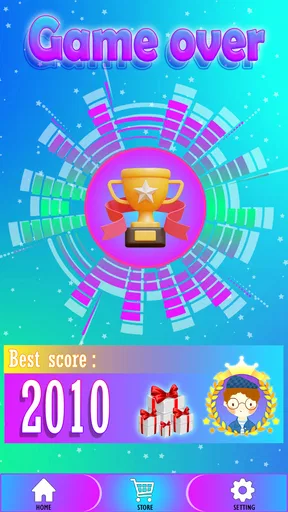
Our Review of Michael Jackson - Piano Game
 Analysis by Appyee
I spent time with Michael Jackson - Piano Game as a music game built around the appeal of playing along with Michael Jackson songs. Its main attraction is immediate: the screen presents a song-focused challenge, and the player responds by tapping in rhythm while trying to keep the sequence going. That makes it easy to understand within moments, even if the experience is more about quick reactions and musical familiarity than about learning to play a real piano.
The game is free, aimed at Everyone, and comes from Slow_Play-game. It has reached over 100K installs and holds a 4.1 average from around 1K ratings, with roughly 33 reviews. Those figures suggest a modest but established audience rather than a huge mainstream rhythm-game community. I would describe it as a lightweight choice for fans who want a simple Michael Jackson-themed distraction, not as a full music-learning tool or a deep competitive game.
How the game feels to read and navigate
The strongest part of the first encounter is the straightforward concept. You do not need a long explanation to understand what the game wants from you: watch the piano-style display, identify the moving or playable elements, and tap at the right moment. For someone opening it during a short break, that directness is useful. There is little conceptual distance between seeing the screen and knowing what kind of action to try.
The visual presentation is clearly intended to make the songs feel attractive rather than clinical. That matches the store summary’s emphasis on recent songs and an appealing display, although the important practical question is whether the decoration helps or distracts from the playable area. In my experience with this kind of design, visual effects can make a music game feel lively, but they can also compete with the timing cues. I found it best to focus on the playable lane or keys instead of treating the background as part of the information I needed to process.
That distinction matters for readability. A player with good vision and quick visual tracking can probably settle into the pattern quickly, while somebody who needs strong contrast, larger targets, or a calmer screen may find the presentation less comfortable. I would have preferred clearer control over the visual density, text size, or contrast, because those options can make a major difference without changing the core game.
Navigation is most comfortable when the player treats the game as a short-session activity. I would not expect the same ease from someone trying to explore many menus, compare detailed song information, or manage a large personal library. The product is built around starting the musical interaction, not around extensive organization. That is a strength for speed, but it also means that users who need carefully explained settings or a highly structured interface may have to spend extra time learning where everything is.
The name Michael Jackson is central to the identity of the game, and that gives the experience an immediate focus. Fans do not have to guess what musical world they are entering. At the same time, the short description is extremely brief, so a new player should approach it with realistic expectations: this is a themed piano game, not a biography, discography guide, or general-purpose music player.
What the visual design means for different players
For a player who can distinguish small moving elements and react quickly, the display can feel energetic and satisfying. The challenge comes from translating what the eyes see into a timed finger movement. However, the same speed can create friction for users with slower visual processing, attention differences, or sensitivity to busy animation. The game does not become unsuitable automatically, but it may require a quieter environment and a willingness to play in shorter bursts.
One practical tip is to begin with the sound at a comfortable level and then decide whether the visual rhythm is helping or whether it is becoming overwhelming. Some players rely on audio timing; others need to watch every cue. Switching between those approaches can reveal whether the game is enjoyable for you before you commit to longer sessions. I also recommend holding the phone in a stable position rather than trying to play while walking or multitasking, because the timing challenge already demands attention.
Motor, sensory, and situational access
The controls appear suited to direct touchscreen tapping, which keeps the physical interaction simple. There is no need to learn a complicated control scheme, and that makes the game approachable for someone who is comfortable using a phone with one or both hands. The trade-off is that rhythm games often punish delayed or imprecise taps. A user with limited fine-motor control, hand tremors, joint pain, or difficulty maintaining a steady grip may find the basic action more demanding than the simple interface suggests.
This is where the difference between easy to understand and easy to use becomes important. I could understand the objective immediately, but successful play still depends on timing, finger placement, and the ability to keep the device steady. A larger phone may provide a more comfortable visual area while being harder to hold. A smaller phone may be easier to grip but leave less room for separating targets. Choosing the device position that reduces strain is more useful than trying to play at maximum speed from the beginning.
Players with one-handed limitations may be able to use the game if the active targets remain within a comfortable reach, but I would not assume that every sequence will suit every hand position. The most practical approach is to test the game while seated, with the phone supported on a table or cushion. That removes the need to grip tightly and can make repeated tapping less tiring. It also lowers the risk of dropping the phone during a difficult section.
Sound is another important consideration. Music is part of the appeal, but not every player can or wants to use audio. Someone who is deaf or hard of hearing may be able to follow visible cues if they are clear enough, while a player with auditory sensitivity may prefer a lower volume or muted play. The experience will naturally be different without the soundtrack, because rhythm games often use music to reinforce timing. I would therefore see this as a game that can be tried without relying entirely on sound, but not one I would confidently recommend as equally comfortable for every hearing profile.
Headphones can help in a noisy home or on public transport, but they can also make the experience less suitable when a player needs to remain aware of conversations, announcements, or nearby traffic. I would avoid using it while crossing streets, cycling, or doing any task that requires environmental awareness. The game asks for visual concentration, so adding headphones should be a deliberate choice rather than an automatic one.
A realistic everyday use case
Imagine waiting for an appointment with ten minutes to spare. You sit down, open the game, play one or two attempts, and stop when your name is called. That is the setting where it makes the most sense to me. It does not demand a large time commitment, and the Michael Jackson theme gives the session a recognizable musical personality. The same design can work during a quiet commute, provided the phone is stable and the surroundings do not make fast visual tapping unsafe.
It is less comfortable as a background activity while watching television, talking with family, or listening to another piece of music. The player needs to monitor the screen and respond quickly, so it is not genuinely passive entertainment. This distinction is useful for people with attention difficulties: a short, intentional session may be manageable, while trying to play alongside another demanding activity may quickly become frustrating.
For children, the Everyone rating makes the game broadly approachable from an age-classification perspective, but that does not mean every child will find the timing forgiving. Younger players may enjoy the familiar song-based presentation, yet they may also need help understanding that missed taps are part of the challenge rather than a sign that the device is malfunctioning. Adults choosing it for a child should pay attention to whether the visual pace is enjoyable or stressful.
Where it differs from ordinary music apps and piano games
Compared with a streaming music app, this game is interactive rather than passive. You are not simply selecting a Michael Jackson track and listening; you are using the song as the setting for a tap-based challenge. That makes it a better fit for someone who wants a small game attached to the music, but a worse fit for someone looking for playlists, background listening, lyrics, or artist discovery.
Compared with serious piano-learning applications, it also serves a different purpose. A lesson app normally emphasizes notes, technique, practice plans, and progress toward playing an instrument. This game is closer to a rhythm reaction exercise with a piano visual theme. It may help a beginner feel comfortable responding to musical timing, but I would not use it to learn hand posture, scales, chords, reading notation, or real keyboard technique.
Compared with larger rhythm-game alternatives, its focused Michael Jackson identity may be its most appealing difference. A broad rhythm platform can offer more variety, deeper progression, or a wider range of artists, while this title is easier to understand if one artist is the reason you downloaded it. The trade-off is obvious: people who want a huge song catalogue or a long-term competitive system may outgrow it sooner.
Remaining barriers and who should skip it
The biggest limitation is not the basic idea but the narrowness of the experience. If you are hoping for a detailed music game with extensive customization, structured difficulty explanations, or the depth of a piano simulator, this is probably not the right choice. Its appeal depends on enjoying quick touchscreen interaction and accepting a relatively focused theme.
I would also hesitate to recommend it to anyone who needs strong accessibility controls as a condition of comfortable play. Adjustable text, contrast, animation speed, target size, or alternative input methods can be essential for some users, and I would not assume those needs are covered here. A player who depends on those controls should test the game briefly and stop if the display or tapping pattern causes strain.
Another barrier is the relationship between recognition and reaction. Knowing a Michael Jackson song may make the presentation more enjoyable, but it does not remove the need to watch the screen and tap accurately. Conversely, someone unfamiliar with the music can still understand the game, yet may not feel the same personal connection. The theme is therefore meaningful rather than merely decorative, and that will divide potential players.
My practical advice is to use a supported device running at least Android 6.0, keep the screen clean and bright enough for comfortable viewing, and begin while seated. The current version is 7.0, and the game was released on October 2, 2020, so I approach it as an established, focused title rather than a newly evolving platform. It is free to try, which lowers the risk of discovering that the pace, display, or control demands are not a good match.
The developer, Slow_Play-game, has kept the concept recognizable: a music game centered on Michael Jackson and presented through piano-style interaction. That clarity is valuable, but it also places more weight on the execution of the screen cues. If you find yourself missing notes because the display feels crowded rather than because the challenge is genuinely difficult, that is a sign to move on to a different rhythm game with more visual customization.
My inclusive verdict
I see Michael Jackson - Piano Game as an accessible idea with mixed practical accessibility. Its objective is immediately understandable, the touchscreen action is familiar, and the free price makes experimentation easy. Those qualities suit casual players, Michael Jackson fans, and people who want a short music-themed game rather than a serious learning experience.
Its weaker side is that simple controls do not automatically remove motor or sensory barriers. Fast tapping, visual tracking, and dependence on a clear screen can make the game tiring for users with limited dexterity, slower processing, visual sensitivity, or a need for extensive interface customization. Playing while seated, supporting the phone, reducing distractions, and choosing a comfortable volume can improve the experience, but those are workarounds rather than substitutes for dedicated accessibility settings.
For me, the best use is a brief, focused session when I want something more active than listening to music but less demanding than a full rhythm-game platform. I would recommend trying it if the Michael Jackson theme is the main attraction and you are comfortable with quick touchscreen taps. I would skip it in favor of a piano-learning app if your goal is musical instruction, or a broader rhythm title if you need more variety and control.
My final recommendation is cautious but positive: it is worth a free try for the right player, especially someone who values a clear theme and quick play. Just judge it by comfort as well as entertainment. If the display is easy to follow and the tapping feels natural, it can make spare minutes enjoyable; if the timing or visual presentation creates strain, another music game will likely be a better and more inclusive fit.
Verdict
Strengths of Michael Jackson - Piano Game
- Simple tap-based controls are easy for beginners to pick up.
- Short songs make it convenient for quick gaming sessions.
- Piano-style gameplay offers a relaxing alternative to action games.
- Progressive speed increases can provide a satisfying challenge.
- Themed visuals may appeal strongly to Michael Jackson fans.
Limitations of Michael Jackson - Piano Game
- Some songs or features may require in-app purchases to unlock.
- Gameplay can become repetitive after extended sessions.
- Timing-based play may feel frustrating on smaller phone screens.
- Audio and visual quality can vary between different devices.
- Unofficial branding may raise questions about licensing or authenticity.
Similar Picks in This Category
View All
Tiles Hop Music & Ball Game
AMANOTES PTE. LTD.4.3

Magic Tiles 3™ - Piano Game
AMANOTES PTE. LTD.4.6

Real Piano
Bilkon3.7

Piano Game: Classic Music Song
Dream Tiles Piano Game Studio4.0

Smash Colors: Music Ball Rush
BADSNOWBALL HONGKONG LIMITED4.2

Piano Music Go-EDM Piano Games
Joy Journey Music Games4.5
Frequently Asked Questions
What is Michael Jackson - Piano Game, and how is it played?
Michael Jackson - Piano Game is a rhythm-based piano app inspired by the King of Pop’s music and performance style. Players tap piano tiles or notes as they appear on the screen, following the rhythm of each song. The objective is to avoid missing notes, maintain combos, and complete tracks with the highest possible score. Gameplay is simple to learn but becomes increasingly challenging as the speed rises.
Does Michael Jackson - Piano Game include Michael Jackson songs?
The app is presented as a Michael Jackson-themed piano game, so its content may include songs, melodies, or visual elements associated with his musical style. However, the exact track list can vary depending on the version, developer, region, and licensing arrangements. Before downloading, users should check the store description and screenshots to confirm which songs are available and whether the app uses official recordings or unofficial piano arrangements.
Is Michael Jackson - Piano Game free to download and play?
Michael Jackson - Piano Game may be available as a free download, but the overall experience can include advertising, optional purchases, locked songs, or other in-app monetization features. Some versions may also limit attempts or provide rewards for watching advertisements. We recommend reviewing the app’s store listing carefully and checking the in-app purchase information before installing, especially if children will be using the device.
Can I play Michael Jackson - Piano Game without an internet connection?
Offline availability depends on the specific version of the application. Basic gameplay may work without a permanent connection after the game has been installed, but advertisements, new song downloads, cloud saves, leaderboards, or certain bonus features may require internet access. For the most reliable information, users should test the game in airplane mode after installation and review the developer’s stated connectivity requirements.
Is Michael Jackson - Piano Game suitable for children and all mobile devices?
The game is generally easy for beginners because it uses straightforward tapping controls, making it accessible to casual players and fans of rhythm games. Nevertheless, fast stages can demand concentration and quick reactions. Device compatibility, screen size, performance, and operating-system requirements vary by version. Parents should also check the age rating, advertising policy, permissions, and in-app purchases before allowing younger users to play.
Play our best games!


